Workplace parking software
Workplace parking, sorted.
Parkumi lets your people book a parking space in seconds, on a live map of your own car park. No more circling, no more spreadsheets, and no more empty spaces nobody knew were free.
No card needed · Set up in an afternoon · Free for up to 6 spaces
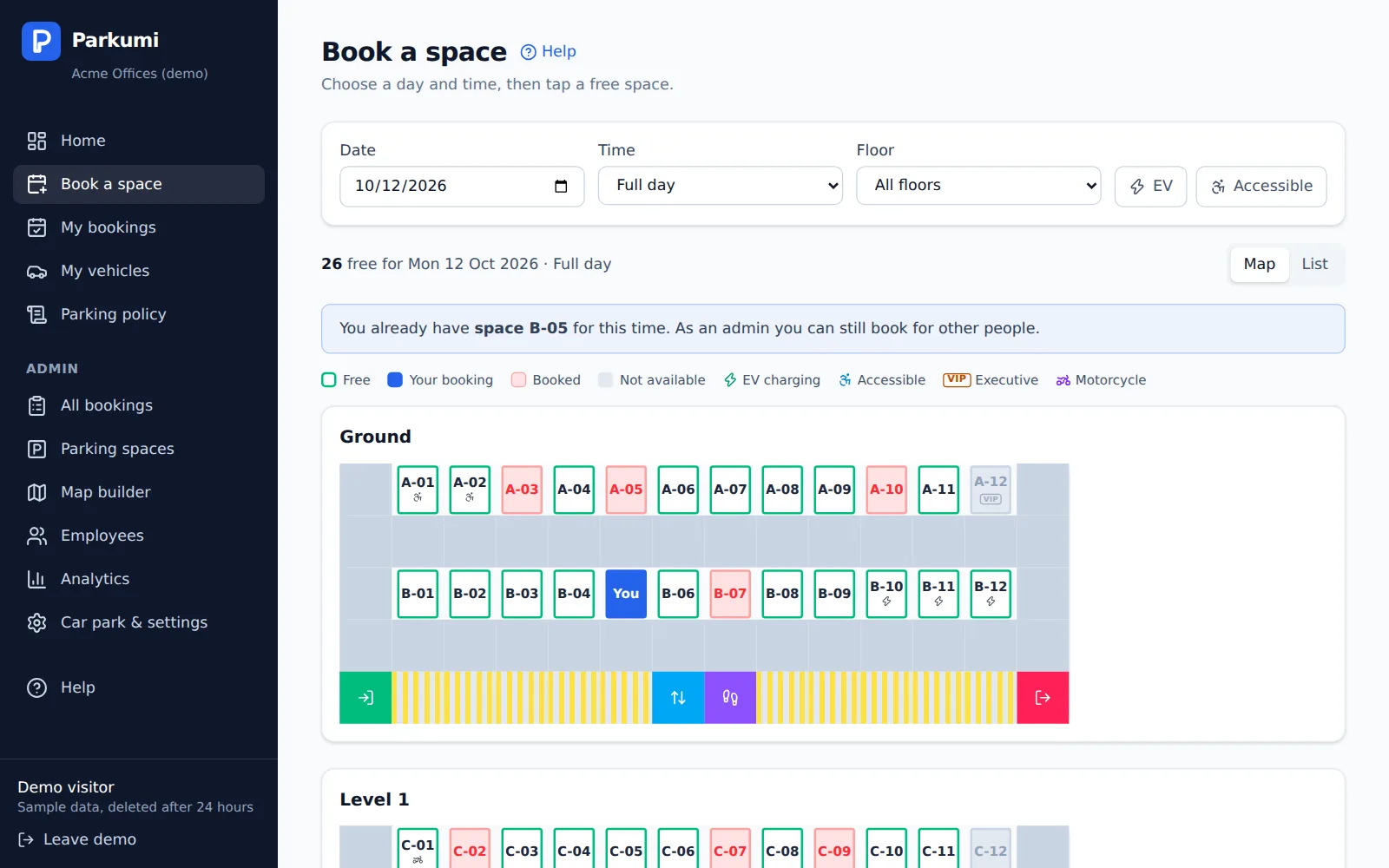
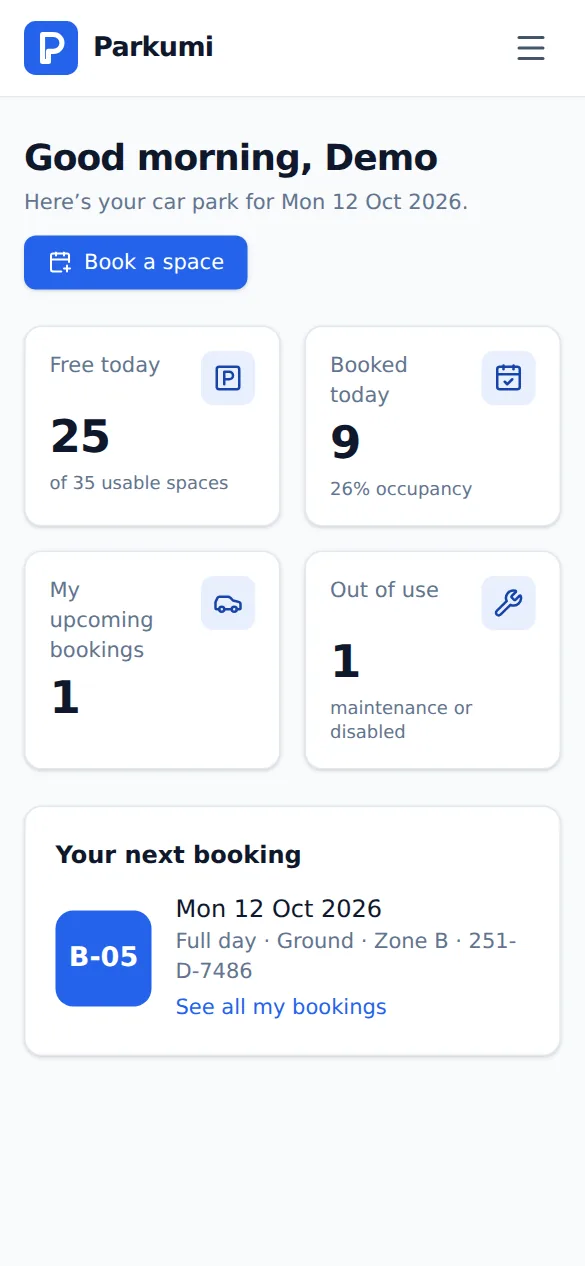
People know they have a space before they leave home. Arrive, park, start the day.
On holiday or working from home? Release your space in one tap and a colleague can use it.
No spreadsheets, emails or sign-in sheets. Parkumi handles the rules, so double bookings can't happen.
How it works
Up and running in three steps
No hardware, sensors or installers. Everything happens in your browser.
-
1
Add your car park
Add your spaces, or import them from Excel. Then drag them onto a map of each floor. Auto-arrange does most of the work.
-
2
Invite your people
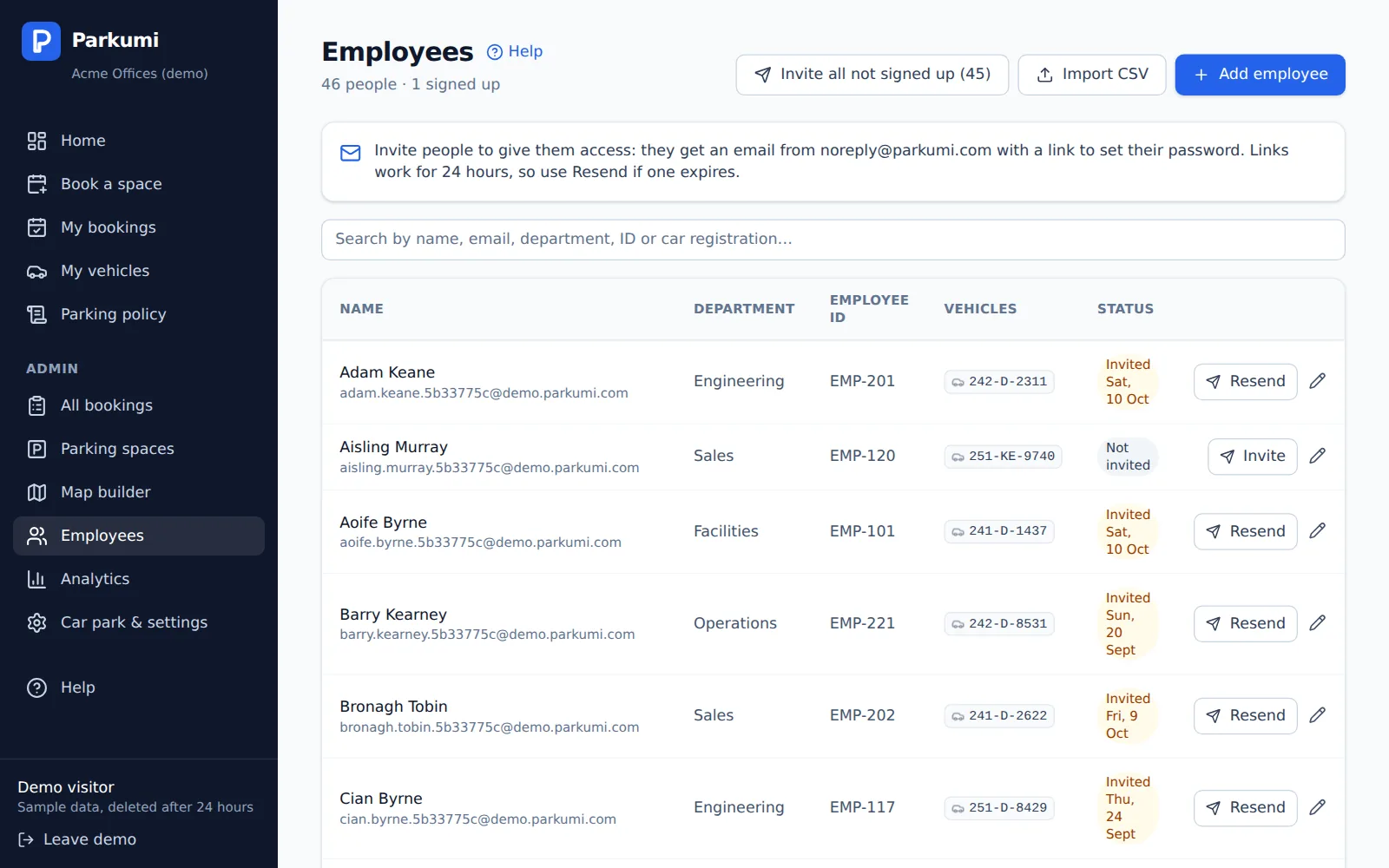
Add employees and their cars, or import a spreadsheet. One click sends everyone a branded invitation to join.
-
3
They book in seconds
Pick a day, tap a free space on the map, done. Full day, morning or afternoon, on any phone or computer.
Features
Everything you need. Nothing you don't.
Start free for up to 6 spaces. Business and Enterprise add fair-booking tools and analytics.
Your car park, as a map
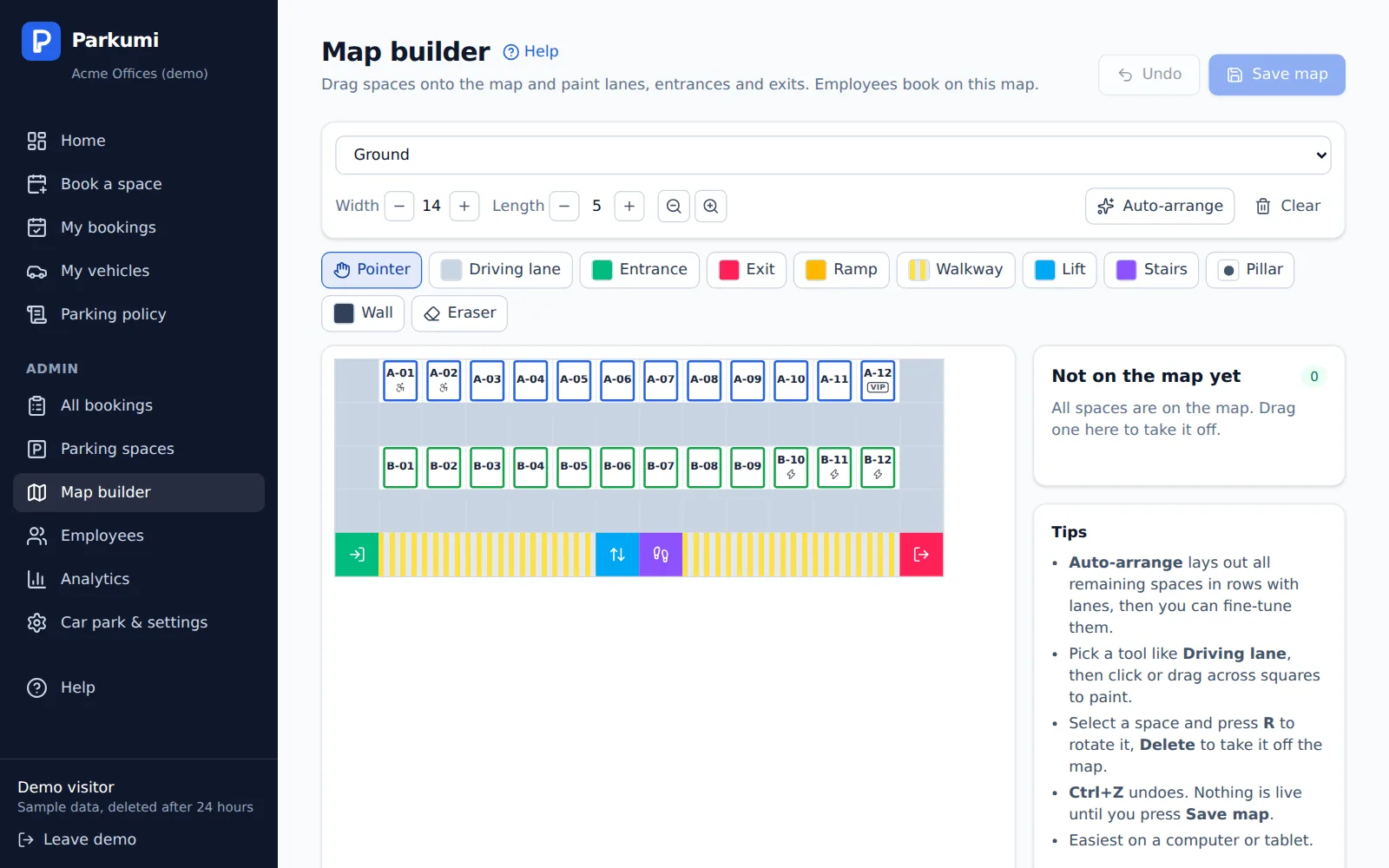
Draw each floor in minutes with the drag-and-drop map builder: spaces, driving lanes, entrances, exits, ramps, lifts and stairs. Your people then book by tapping a space, exactly where it really is.
- Multiple floors and zones
- Auto-arrange lays out rows and lanes for you
- Free, booked and out-of-use spaces at a glance
Allocated and hot-desk spaces
Give some people their own space. When they're away, they release it for others in one tap.
EV and accessible spaces
Mark charging, accessible, compact, executive and motorcycle spaces. People can filter to find the one they need.
Half-day bookings
Book a full day, a morning or an afternoon, so one space can serve two people.
Fair booking rules
No double bookings, and you choose how far ahead people can book. On Business and Enterprise: weekly limits, a waitlist when the car park is full, and your own parking policy.
Import from Excel
Bring in hundreds of spaces and employees from a spreadsheet. Parkumi shows what will change before anything does.
Find any car
Search by registration to see whose car it is and where it's booked. Handy when someone is blocked in.
Know how your car park is really used
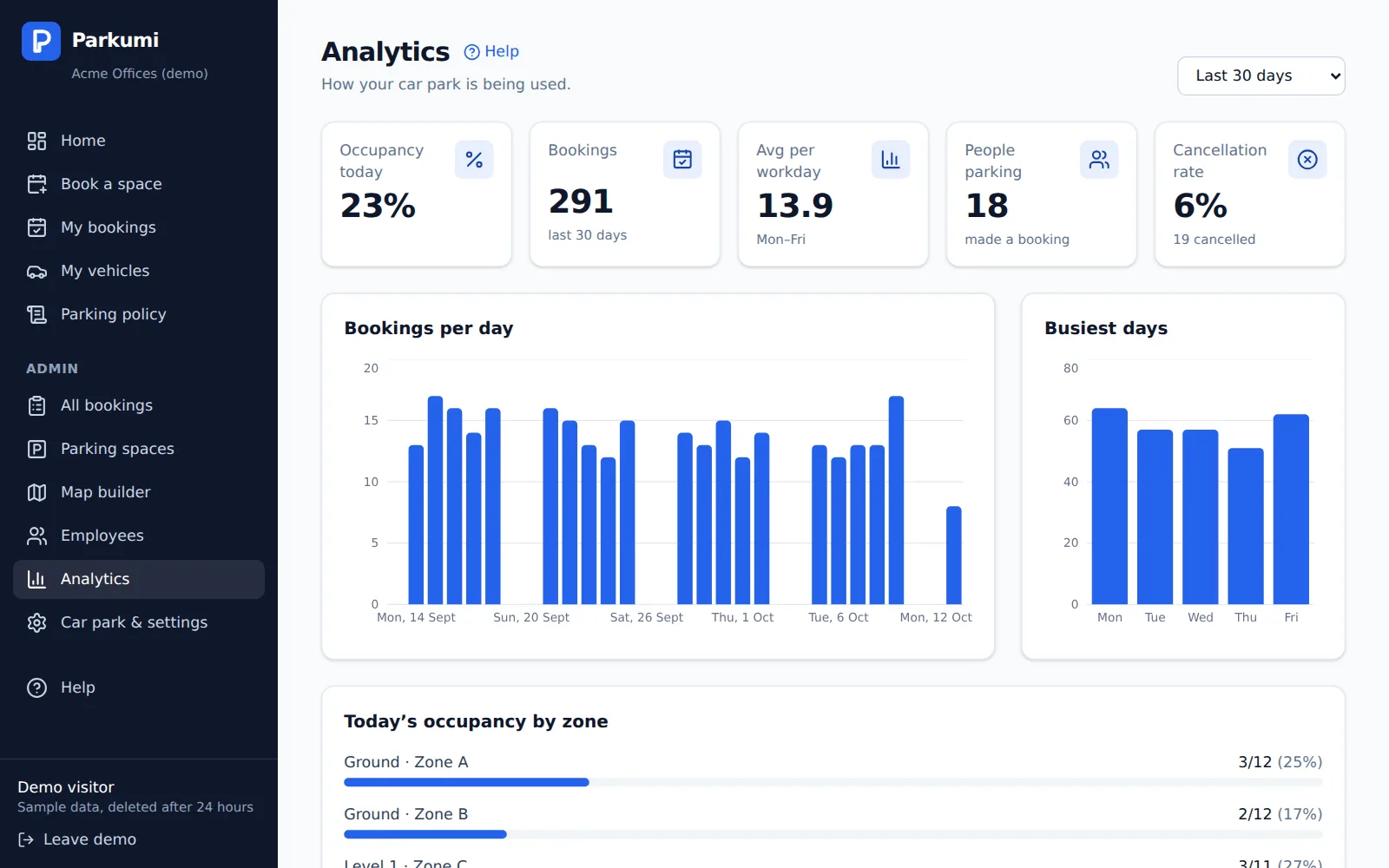
See occupancy today, your busiest days and zones, and how many people actually park. Then decide with real numbers whether you need more spaces, or fewer. Included in the Business and Enterprise plans.
- Occupancy, bookings and cancellations
- Every booking in one list, with CSV export
- Admins can book or cancel on someone's behalf
Your team, invited in one click
Add people one by one or from a spreadsheet, then send everyone an invitation. You can see who has joined, and resend with one click.
- Unlimited employees and admins on every plan
- Your company colours throughout the app
- Each company's data is kept completely separate
See it for yourself in 10 seconds
One click opens your own private demo car park, full of sample spaces, colleagues and bookings. Book a space, build a map, explore the admin pages. No sign-up.
Pricing
Simple pricing. Start free.
Free for up to 6 spaces. Paid plans come with a 30-day free trial, no card needed.
Pay yearly and save 15%
Free
For a handful of spaces
Free
Free for good
Up to 6 parking spaces
- Unlimited employees
- Car park map and phone app
- Allocated and shared spaces
- Free for good, no card needed
Starter
For a small office car park
€25 /month
Up to 20 parking spaces
- Everything in Free
- Room for a growing team
- 30-day free trial
- Email support
Business
For a busy workplace
€90 /month
Up to 100 parking spaces
- Everything in Starter
- Weekly booking limits
- Waitlist when the car park is full
- Your own parking policy
- Usage analytics and CSV export
- Booking confirmation emails
Enterprise
For large sites and campuses
€250 /month
Up to 300 parking spaces, then €5/month for every 10 more
- Everything in Business
- Priority support
- Sign in with Microsoft or Google (coming soon)
- Microsoft Teams app (coming soon)
Every plan includes
- Unlimited employees and admins
- Drag-and-drop car park maps
- Allocated and shared spaces
- EV, accessible, executive and motorcycle spaces
- Import spaces and staff from Excel
- Branded email invitations
- Your company logo
- Works on any phone or computer
Prices exclude VAT. Yearly plans are paid once a year, upfront. Founding-customer discount applies to your first paid year.
Questions about plans or pricing? Email care@parkumi.com
Launching soon
Join early access
Parkumi is opening to new customers soon. Leave your details and we'll email you the moment your 30-day free trial is ready, with no card needed.
- 30% off your first year as a founding customer, on any paid plan
- Be first to set up your car park
- Help shape the features we build next
- Try the live demo today, no sign-up needed
You're on the list
Thanks! We've sent you a confirmation email, and we'll email you again as soon as Parkumi opens.
Can't see it? Check your junk folder, or write to care@parkumi.com.
Questions
Do we need any hardware or an app to install?+
No. Parkumi runs in any web browser, on phones, tablets and computers. There are no sensors, barriers or installers. People can add it to their phone's home screen so it opens like an app.
Can I use Parkumi on my mobile phone?+
Yes. Parkumi works on any iPhone or Android phone, and there's nothing to download from an app store. Open app.parkumi.com on your phone and sign in, then add it to your home screen so it opens like an app:
- iPhone: in Safari, tap the Share button (the square with an arrow), then Add to Home Screen.
- Android: in Chrome, tap Install when Parkumi offers it, or open the ⋮ menu and choose Install app.
You stay signed in, so booking a space is one tap from your home screen.
How long does it take to set up?+
Most car parks are ready in an afternoon. Import your spaces and staff from a spreadsheet, auto-arrange the map, then send the invitations. A built-in checklist and help guides walk you through it.
How does the free trial work?+
Choose a paid plan, enter your company name and email, and you're in. No card is needed, and the plan is free for 30 days. We'll remind you before the trial ends, and nothing is charged unless you decide to continue.
Which plan do I need?+
Count your parking spaces. Free covers up to 6, Starter up to 20, Business up to 100, and Enterprise covers 300 plus €5 a month for every 10 more. Every plan has unlimited users. Business and Enterprise add weekly booking limits, a waitlist, your own parking policy and analytics. You can move up a plan as you grow.
Can some people keep their own space?+
Yes. Allocate a space to a person and it's theirs every day. On days they're away, they release it in one tap and a colleague can book it.
Is our data kept private?+
Yes. Every company's data is kept separate and protected by security rules in the database itself, so one company can never see another's. Employees only see their own bookings and cars. Admins see everything for their company.
Can I try it without signing up?+
Yes. Open the live demo to get your own private sample car park, with no sign-up. It's deleted automatically after 24 hours.
Another question? Email us at care@parkumi.com and we'll get back to you.
Give your people a space to park
Start your free trial today. You'll have your car park on Parkumi before the end of the day.